Project Summary
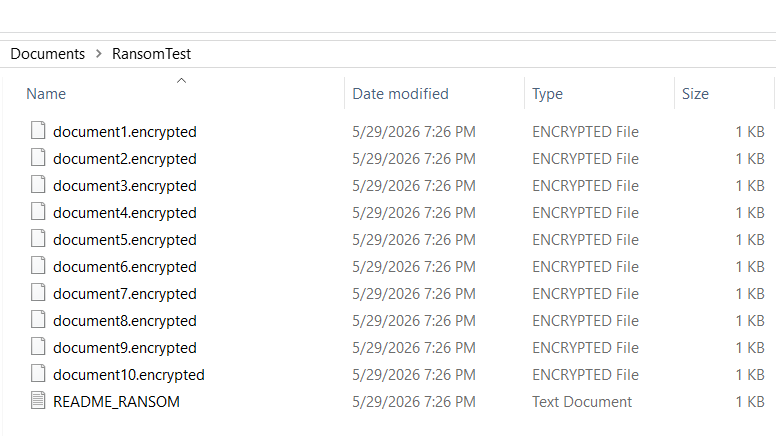
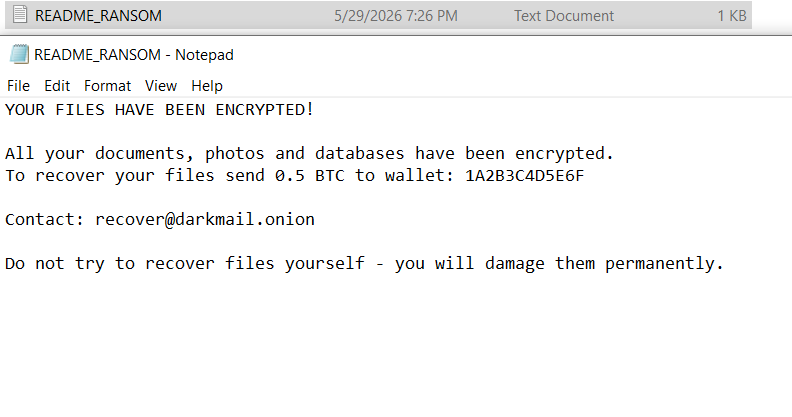
This project demonstrates ransomware behavior simulation using a custom PowerShell script on a Windows 10 machine. The simulator encrypts target files, renames them with a .encrypted extension, attempts to delete shadow copies, and drops a ransom note on the Desktop. Detection is achieved through Wazuh FIM (File Integrity Monitoring) in realtime mode and Sysmon endpoint telemetry, mapped to the MITRE ATT&CK framework.
Overview
This lab highlights a critical detection principle: ransomware is identified not by a single malicious file, but by the velocity and pattern of file modifications. Wazuh FIM fired 12 alerts in under 1 second — a behavioral pattern impossible to mistake for normal user activity.
The objective was to demonstrate that behavioral detection via FIM realtime monitoring catches ransomware activity at the moment of encryption — before the damage is complete.
Lab Environment
| Role | OS | IP | Tools |
|---|---|---|---|
| Attacker | Windows 10 (VM) | 192.168.0.29 | PowerShell 5.1 (ransomware simulator) |
| Victim | Windows 10 (VM) | 192.168.0.29 | Sysmon v15, Wazuh Agent 004 |
| SIEM | Ubuntu Server (VM) | — | Wazuh 4.x |
Note: Attack and victim are on the same machine — simulating an insider threat or post-exploitation scenario where the attacker already has local access.
Attack Simulation
The PowerShell simulator performs three core ransomware behaviors:
- Shadow copy deletion —
vssadmin delete shadows /all /quiet(T1490) - File encryption — reads each file, Base64 encodes content, overwrites and renames to
.encrypted - Ransom note drop — creates
README_RANSOM.txtin target folder and on Desktop

Detection Results
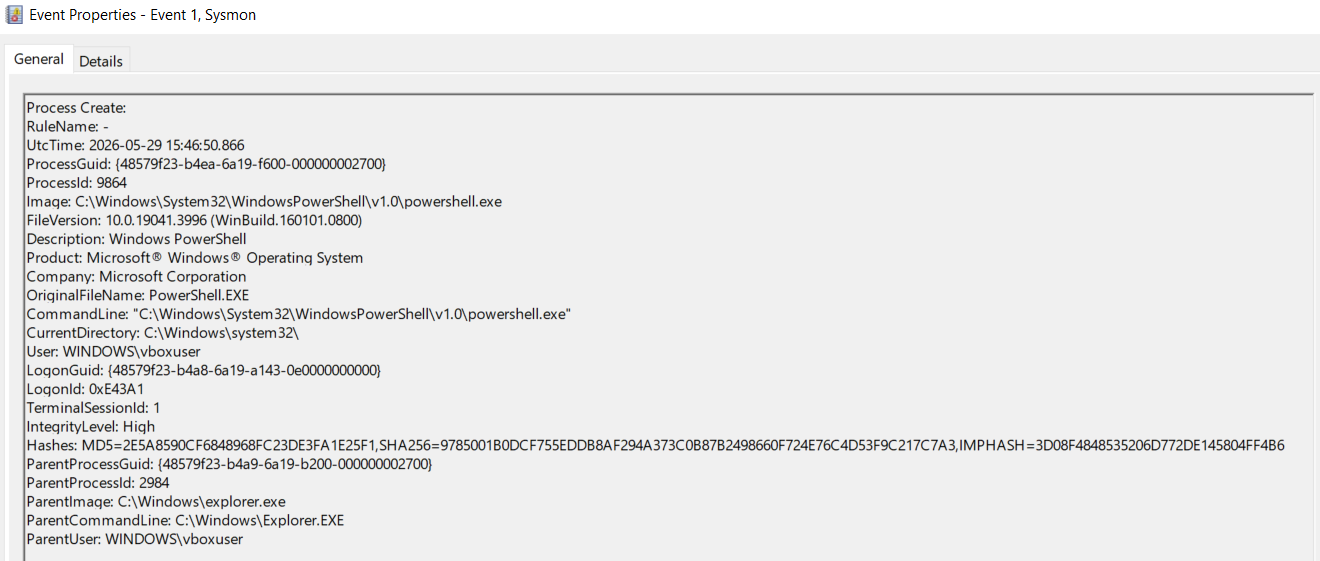
Sysmon Event ID 1 — PowerShell Process Creation
Sysmon captured the PowerShell process that executed the ransomware simulator with IntegrityLevel: High — indicating elevated execution context.
- Image:
C:\Windows\System32\WindowsPowerShell\v1.0\powershell.exe - IntegrityLevel: High
- ParentImage:
C:\Windows\explorer.exe - User:
WINDOWS\vboxuser
Wazuh FIM — Rule 550: Mass File Modification
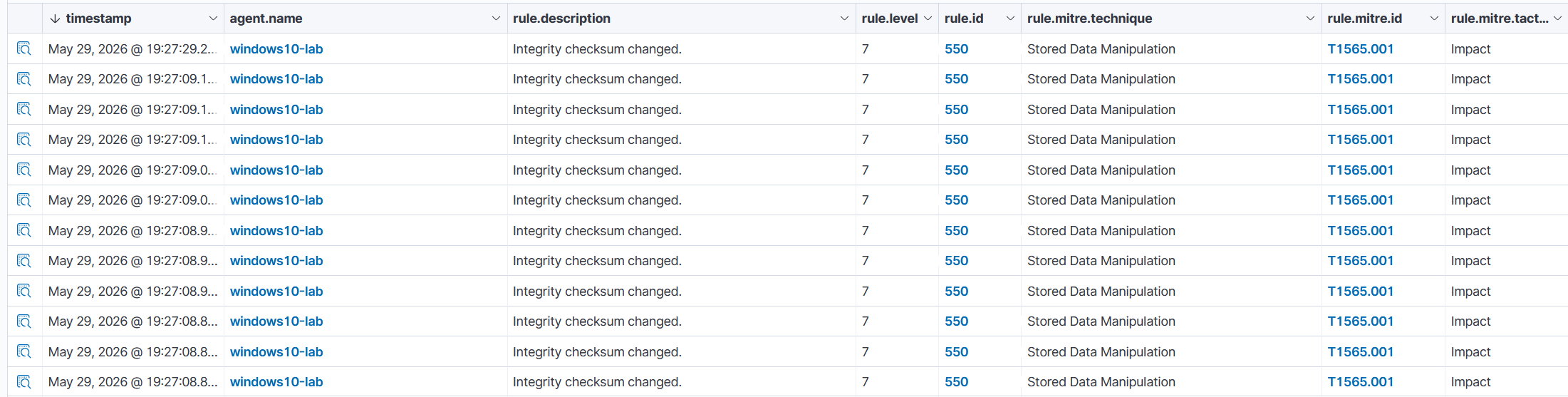
Wazuh FIM detected 12 integrity checksum change events in rapid succession — the velocity pattern characteristic of ransomware encryption. Normal user activity does not modify 10+ files simultaneously.
- Rule ID: 550 — Integrity checksum changed
- Rule Level: 7
- MITRE ID: T1565.001 — Stored Data Manipulation
- MITRE Tactic: Impact
- Mode: realtime
Wazuh FIM — Ransom Note Detection
Wazuh FIM detected the ransom note file on the Desktop in realtime:
File 'c:\users\vboxuser\desktop\readme_ransom.txt' modified
Mode: realtime
Changed attributes: mtime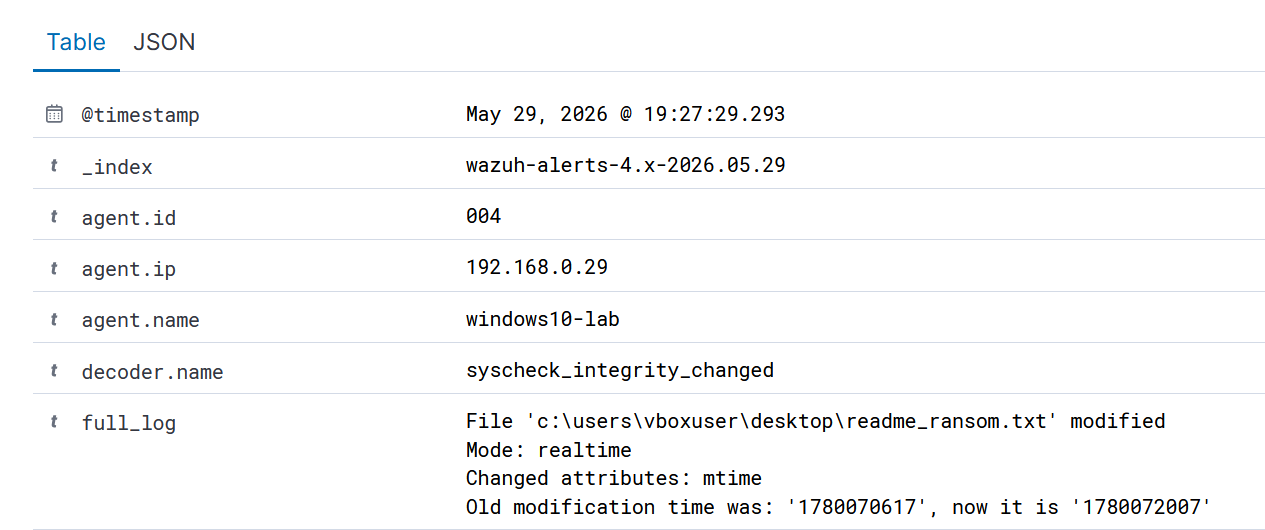
MITRE ATT&CK Techniques Observed
| Technique ID | Name |
|---|---|
| T1486 | Data Encrypted for Impact — 10 files encrypted, renamed to .encrypted |
| T1565.001 | Stored Data Manipulation — Wazuh Rule 550, 12 alerts, Impact tactic |
| T1490 | Inhibit System Recovery — vssadmin delete shadows /all /quiet |
| T1059.001 | Command and Scripting Interpreter: PowerShell — Sysmon EID 1, IntegrityLevel High |
Key Findings
- A custom PowerShell ransomware simulator successfully encrypted 10 target files and dropped a ransom note.
- Wazuh FIM Rule 550 fired 12 alerts in under 1 second — the velocity of simultaneous file modifications is the key ransomware behavioral indicator.
- Wazuh FIM realtime mode detected the ransom note immediately upon creation on the Desktop.
- Sysmon EID 1 captured the PowerShell process with
IntegrityLevel: High. - Key lesson: Ransomware detection relies on behavioral patterns — specifically the velocity of file modifications. A single file change is normal; 12 changes in under 1 second is an incident.